

IT Maintenance: Should You Recruit Internally or Outsource?

IT Maintenance: Should You Recruit Internally or Outsource? post thumbnail image

Computer systems are increasingly complex. An essential complexity to guarantee the survival of the company. Today, no business can do without an IT infrastructure. If a few years ago, it was business support, today it is an integral part.

The choice for SMEs to entrust their IT maintenance to experts becomes indisputable. The real question would be whether companies should entrust their information systems to outsourcing companies or rather recruit IT specialists internally. Why should a business outsource its IT management?

Let’s see in detail what are the advantages of entrusting IT maintenance to IT outsourcing companies.

IT Maintenance for SMEs: Internal Management or Outsourcing?
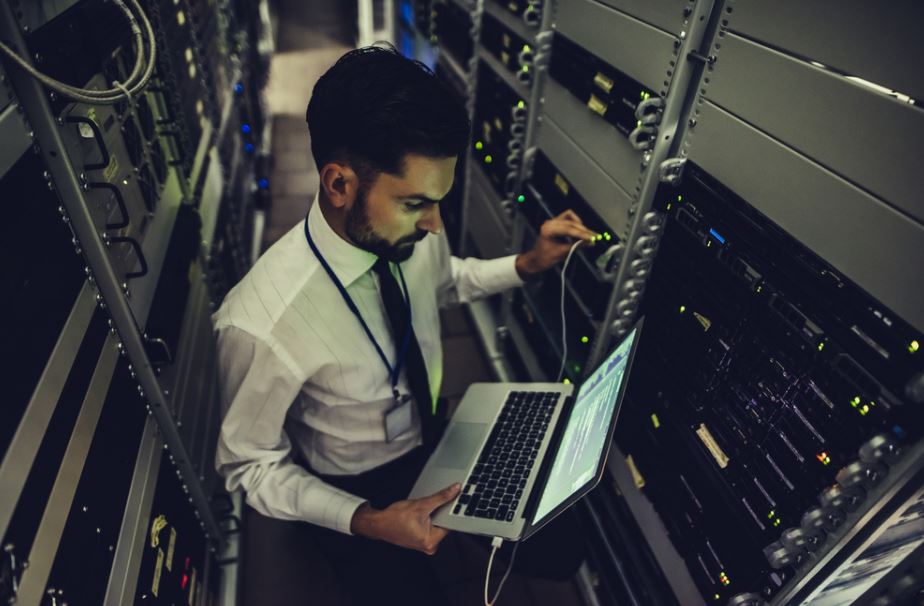
tech supportSmall and medium-sized businesses thrive on their employees and often on their ability to perform multiple functions. In VSEs and SMEs, the same employee can often find himself managing sales, administration, and human resources at the same time. This is why it is increasingly essential to rely on efficient technological systems to facilitate workflows, communication between different departments, and business activities on the front line.

However, it is not always easy to manage all IT systems in-house. Especially in SMEs, but in reality, this is also true for large companies. It wastes a lot of time and money. Especially since the complexity of the systems means that the resources dedicated to them must be highly specialized.

Outsource IT Maintenance, Saving Time and Money

This is undoubtedly the first advantage offered by outsourcing the management of information systems to specialized companies. There are many determining factors. First of all, outsourcing its IT maintenance to third parties means there is no longer any need to recruit an in-house IT team. Labor costs can be reduced, and, at the same time, companies no longer need to invest in continuing education to cope with changing technologies.

IT Outsourcing for SMEs, More Flexibility and Scalability

Every business is different, and therefore IT systems must also adapt to specific needs. An IT service provider knows this very well and can offer tailor-made services to their customers. The scalability of the services provided also makes it possible to adapt to change and cope with new corporate structures.

Dedicated IT Resources Mean More Risk for Businesses

A computer expert ensures the proper functioning of PCs, antiviruses, information systems, etc … But computer systems are becoming more complex, and solving all the problems they involve is not easy for one person and even for a small one.

Another aspect often overlooked by entrepreneurs is the substitutability factor. Indeed, if the IT manager were to leave you with all the technical and commercial know-how, would you be able to replace him quickly? And recognize in the new candidate the skills necessary to fill this role?

IT maintenanceMedium and small businesses often have only one resource dedicated to managing information systems. It follows that this person becomes irreplaceable, that absences for illness or holidays become difficult to envisage if not against the guarantee of availability.

In this case, using a company specializing in computer maintenance for businesses that is constantly available, even if only support, can help overcome these risks.


Related Post

laptop

Cybersecurity Firms vs. Ransomware: Strategies That Actually WorkCybersecurity Firms vs. Ransomware: Strategies That Actually Work

Ransomware has become one of the most destructive cyber threats facing businesses today. It locks systems, encrypts files, and demands payment in exchange for access. Attacks are now more targeted and frequent. Cybersecurity firms, including the top managed IT services firm, are under pressure to respond quickly and effectively. They must not only stop attacks but also prevent them before damage occurs. Modern defense requires a mix of technology, planning, and continuous monitoring.

Understanding How Ransomware Operates

Ransomware attacks often begin with simple entry points. Phishing emails, weak passwords, and outdated software are common targets. Once inside a system, attackers move quietly. They explore the network, locate valuable data, and prepare for encryption. Many attacks now involve double extortion. This means data is both encrypted and stolen. Victims are threatened with data leaks if they refuse to pay. This tactic increases pressure and raises the stakes. Cybersecurity firms study these patterns closely. Understanding how ransomware spreads helps them design better defenses. It also allows them to act before the attack reaches its final stage.

Strengthening Prevention Through Layered Security

laptop

Prevention remains the most effective defense. Cybersecurity firms use layered security models to reduce risk. This approach combines multiple tools and practices across systems. Firewalls, endpoint protection, and email filtering work together to block entry points. Regular software updates close known vulnerabilities. Strong authentication methods add another barrier. Layered security does not rely on a single solution. Instead, it builds several lines of defense. If one layer fails, others remain active. This reduces the chances of a successful attack and helps maintain system stability.

Continuous Monitoring and Early Detection

Speed is critical when dealing with ransomware. The sooner a threat is detected, the easier it is to stop. Cybersecurity firms use advanced monitoring tools to track system activity in real time. These tools analyze behavior across networks and devices. They look for unusual patterns such as rapid file changes or unauthorized access. When something suspicious appears, alerts are triggered immediately. Early detection allows teams to isolate threats before they spread. It also limits the impact on business operations. Continuous monitoring creates visibility, which is essential in modern cybersecurity.

Incident Responding and Rapid Containment

Even strong defenses cannot stop every attack. That is why incident response plays a key role. Cybersecurity firms develop response plans that outline clear steps during an attack. When ransomware is detected, affected systems are quickly isolated. This prevents the infection from spreading. Access controls are adjusted, and compromised accounts are secured. Response teams also investigate how the attack occurred. This helps prevent similar incidents in the future. Quick containment reduces downtime and protects critical data.

Security Training and Employee Awareness

people

Human error remains a major factor in ransomware attacks. Employees often become the first point of entry. Cybersecurity firms address this by providing ongoing training and awareness programs. Staff are taught how to recognize phishing attempts and suspicious links. They learn the importance of strong passwords and safe browsing habits. Regular training keeps security top of mind. An informed workforce acts as an additional defense layer. It reduces the chances of accidental exposure and supports overall security efforts.

Considering Data Backup and Recovery Strategies

Reliable backups are one of the most effective ways to counter ransomware. Cybersecurity firms encourage organizations to maintain secure and regular backups of their data. Backups should be stored separately from the main network. This prevents attackers from accessing them during an attack. Testing backups is also important. It confirms that data can be restored without issues. With proper backup systems, businesses can recover without paying ransom. This reduces financial loss and discourages attackers. Recovery plans must be clear and regularly updated to remain effective.

Ransomware continues to evolve, but cybersecurity firms are adapting. Effective strategies focus on prevention, detection, and response. Layered security reduces vulnerabilities, while monitoring tools provide real-time insights. Incident response plans limit damage, and backups support recovery. No single solution can stop ransomware completely. Success comes from combining multiple approaches. Cybersecurity firms must stay proactive and flexible. By doing so, they help organizations protect their data and maintain operations even in the face of advanced threats.

computer

The Common Causes of Cybersecurity ProblemsThe Common Causes of Cybersecurity Problems

Welcome to our blog post on the common causes of cybersecurity problems. In today’s digital world, where technology reigns supreme, and our lives are increasingly intertwined with the online realm, it is more important than ever to protect ourselves from cyber threats. Some have even considered undergoing security plus training. From weak passwords to unsecured Wi-Fi networks, numerous factors can leave us vulnerable to hackers and malware attacks. So sit back, relax, and let’s dive into the key culprits behind cybersecurity issues – because knowledge is power when it comes to keeping your online presence safe and secure.

Weak Passwords

One of the most common causes of cybersecurity problems is the use of weak passwords.  To ensure a strong defense against cyber threats, it’s crucial to create robust passwords. A strong password typically consists of a mix of upper and lower-case letters, numbers, and special characters. Avoid using personal information like birthdays or pet names that can be easily guessed or obtained through social engineering tactics. Additionally, it’s essential not to reuse passwords across multiple accounts. If one account gets compromised due to a weak password choice, hackers could potentially gain access to all your other online platforms, too.

Malware and Ransomware

IT

Malware and ransomware are two of the most common cybersecurity problems that individuals and businesses face today. These malicious software programs can wreak havoc on computer systems, compromising sensitive data and causing significant financial losses. Malware refers to any software that is designed with malicious intent. It can take many forms, including viruses, worms, Trojans, spyware, and adware. Once malware infects a system, it can steal personal information, corrupt files, or even render the entire system inoperable. Ransomware is a specific type of malware that encrypts an individual’s or organization’s files until a ransom is paid to the attacker. The victim is left with limited options – either pay up or risk losing access to their valuable data forever.

Unpatched Software

Unpatched software is one of the common causes of cybersecurity problems that people often overlook. When software isn’t updated with the latest patches and security fixes, it becomes vulnerable to attacks from hackers and cybercriminals. One reason why unpatched software can be a problem is because it leaves known vulnerabilities exposed. Software developers regularly release updates to fix bugs and address security flaws. By not installing these updates, you’re leaving the door open for attackers to exploit those weaknesses. Another issue with unpatched software is that it can lead to system instability and crashes. As new features are introduced in updates, they also help improve the overall performance and stability of the software.

Unsecured Wi-Fi Networks

pythonIn today’s digital age, Wi-Fi networks have become an essential part of our daily lives. We rely on them for everything from staying connected with friends and family to conducting important business transactions. However, it is crucial to remember that not all Wi-Fi networks are created equal. One common cause of cybersecurity problems is unsecured Wi-Fi networks. These are networks that do not require a password or any other form of authentication to access. While this may seem convenient, it opens up a world of opportunities for hackers and cybercriminals. When you connect to an unsecured Wi-Fi network, your data is essentially being broadcasted for anyone nearby to intercept and exploit.

Being aware of the common causes of cybersecurity problems empowers individuals and businesses alike with the knowledge necessary for effective protection against cyber threats. By implementing best practices such as using strong passwords, keeping software updated, investing in reliable antivirus solutions, and being cautious while using public Wi-Fi networks, we can collectively contribute towards creating a safer digital environment for all users. We hope that you have found this blog post helpful.

printer

Exploring the Features of Managed Print ServicesExploring the Features of Managed Print Services

Are you tired of dealing with the hassle of managing your company’s printing needs? Do you constantly run out of ink or paper at the most inconvenient times? It may be time to explore the world of Managed Print Services. With these innovative solutions, you can say goodbye to all your printing woes and hello to a more efficient and cost-effective way of handling your company’s print fleet. Managed print services New York NY offer a variety of features that can benefit businesses of all sizes. In this blog post, we will delve into the key features and benefits of Managed Print Services that can transform your printing processes from chaotic to streamlined.

Print Fleet Optimization

Print Fleet Optimization is one of the standout features offered by Managed Print Services. It involves assessing your current print fleet and implementing strategies to maximize its efficiency and productivity. By analyzing factors such as print volume, device usage patterns, and maintenance requirements, Managed Print Services providers can help you optimize your fleet for maximum performance. They will thoroughly assess your existing devices to determine if any upgrades or replacements are needed. This ensures that you have the right printers in place to meet your specific business needs while minimizing unnecessary expenses. Managed Print Services providers will implement advanced software solutions that enable centralized monitoring and management of your entire print fleet.

Centralized Print Management

Centralized Print Management is a key feature of Managed Print Services that can significantly streamline and simplify your printing operations. With centralized print management, you can monitor and control all your printing devices from a single interface, making it easier to manage workflows, track usage, and implement security measures. By centralizing print management, you can gain better visibility into your entire print fleet. This means you can easily see which printers are being used most frequently and identify any potential bottlenecks or issues. You can also monitor supply levels in real time, ensuring you never unexpectedly run out of ink or toner. Another advantage of centralized print management is the ability to implement consistent policies across all devices

printer

Proactive Maintenance and Support

Proactive maintenance and support are crucial features of managed print services that ensure the smooth functioning of your printing infrastructure. With this service, you can say goodbye to unexpected printer breakdowns and costly repairs. One aspect of proactive maintenance is regular monitoring of your print fleet. This involves keeping an eye on consumables such as ink or toner levels and identifying potential issues before they escalate into major problems. By doing so, you can avoid any disruptions to your business operations. In addition to monitoring, Managed Print Services also offer remote support capabilities.

Usage Reporting and Analytics

Tracking and analyzing usage data is a crucial aspect of managed print services. With advanced reporting tools, businesses can gain valuable insights into their printing habits and identify areas for improvement. Companies can make informed decisions about their printing infrastructure by monitoring metrics such as print volumes, paper consumption, and device utilization. This data helps them optimize their fleet by identifying underutilized devices or departments that may benefit from additional printers. Furthermore, usage reporting allows businesses to implement cost-saving measures by identifying wasteful printing practices. For example, they can track excessive color prints or unnecessary duplex printing.

Managed print services offer numerous benefits for businesses looking to improve their printing operations. From optimizing the print fleet to centralizing management tasks, these services help reduce costs while increasing efficiency. With proactive maintenance and detailed usage reporting at your fingertips, you’ll have the tools to make informed decisions about your printing infrastructure. So why wait? Consider implementing managed print services today to enhance productivity, save money on supplies, reduce waste, and improve overall operational efficiency.